
I'm done waiting for Apple to figure this out

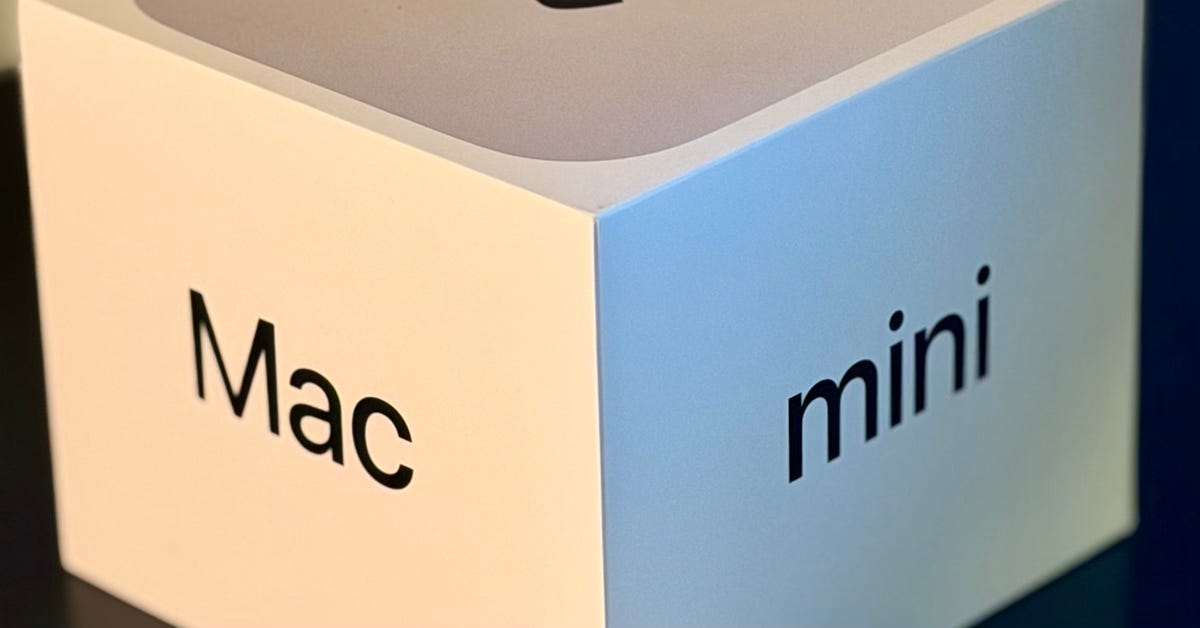
I spent this weekend setting up OpenClaw. It's brilliant. And I believe these type of personal assistants are the future of computing. Here's what I learned.
Why I did this
I’m a hacker. I spent years watching Siri (and any others you care to mention) struggle with basic requests and wondering why digital assistants felt so limited. The answer, I believe is walls. Walls between apps, walls between services, walls between my data and the AI that could actually use it.
OpenClaw breaks those walls down. It’s self-hosted, which means I control the data. It connects to multiple channels, which means I’m not locked into one ecosystem. And you can run it with any model from any provider.
This is the ground floor of something new. Personal assistants running on your own hardware and integrated with your actual life. Stop having opinions about whether this is a good idea. Just try it. The learning happens in the doing.
The reader and brain
Here is where I’ve started. The approach I’m taking here is one of separation. One machine holds my personal data. Another machine runs the AI. They communicate through a narrow, read-only bridge.
MacBook (Personal)              Mac mini (Brain)
- Personal Apple ID             - Bot Apple ID
- Messages and data             - OpenClaw Gateway
- Read-only message CLI         - BlueBubbles
       ↑                              ↓
       └──── SSH/Tailscale ───────────┘
My MacBook stays personal. It has my Apple ID, my messages, my files. The only thing exposed to the outside world is a restricted SSH endpoint that can read messages but not send them, access specific data but not modify it.
The brain machine runs OpenClaw. It has its own Apple ID, its own identity. BlueBubbles handles outbound messaging through this separate account. I text my assistant the way I’d text a friend, no special app, just another conversation in iMessage.
We have to bear in mind this agent is nondeterministic and runs with real permissions. It can execute commands, access files, send messages. If it gets tricked by a prompt injection buried in a message or webpage, or if it simply makes a mistake, it acts with whatever access I’ve given it.
The two-machine split limits the blast radius it seems to me. The agent on the brain machine can’t reach my Keychain, my Apple Wallet, or my personal files. It can only read messages through a narrow SSH bridge. It can’t modify them, can’t send as my personal identity, can’t escalate beyond that one forced command. Even a manipulated agent can only do damage within the boundaries I’ve drawn.
Making sense of the pieces
The hardest part wasn’t the technical setup. It was understanding the concepts. OpenClaw has a lot of moving pieces.
There’s a gateway that routes the AI. There’s an agent with the assistant’s identity and memory. There are channels for different messaging services. There are tools the agent can use. There are policies controlling what it can access. There’s a memory system, a heartbeat mechanism, scheduled jobs.
I kept reading documentation and feeling like I was missing something fundamental. I believe the best thing to do is just jump in. So start small because there is a lot of surface to cover.
I decided to begin with just text messages while I could get the feel for how it works in motion. One data source, one channel, one attack surface to understand before expanding.
The addictive part
This is where it got fun.
You have access to everything under the hood. The configuration is JSON you can read and modify. The logs tell you exactly what’s happening. When something breaks, and it will, you can trace it.
I configured the SSH bridge, tested the connection, watched the first message query flow through. I set up BlueBubbles for outbound messaging, paired my iPhone, sent a test text.
Then I asked a question that required my personal context. And got a real answer.
The response wasn’t generic. It was grounded in my actual messages, my actual life. The assistant knew things because I had given it access to know things. And it felt completely different from typing into ChatGPT in a browser.
How it works
Understanding the underlying systems helped me trust the setup more.
Memory
OpenClaw stores memories as plain Markdown files. There’s a daily log for running notes and a curated file for long-term memories. The memories are human-readable. I can open them in any text editor, see exactly what’s stored, edit or delete anything I want. No black box, no hidden database.
Before the conversation context gets too long, the system prompts the assistant to save anything important. Memories persist even when individual conversations are compacted.
Heartbeat
Every thirty minutes, or whatever interval you set, the assistant wakes up and checks a heartbeat file. This is a simple Markdown checklist: check for urgent messages, review upcoming calendar events, summarize any finished background tasks.
If nothing needs attention, it stays quiet. If something does, it surfaces it. Proactive awareness is the new paradigm.
Scheduled jobs
Cron jobs handle precise timing. A daily briefing at 7 AM. A reminder in twenty minutes. A weekly analysis every Monday morning.
Jobs can run in the main conversation context or in isolation with their own session. They can use different models, different thinking levels, deliver results to specific channels. “Remind me in 20 minutes about the call” just works.
Tools and capabilities
The gateway handles multiple CLI tools, plugins, and skills. The assistant can read and write files, execute commands, search the web, control a browser, manage calendar events, send messages across channels.
Tools are composed in layers with policies controlling access. A sandboxed context gets different capabilities than a fully trusted one. Group chats can be sandboxed or given different tool policies if you configure it.
Who should try this
OpenClaw is for hackers who love building systems. I wouldn’t recommend this for mass consumption right now as there is plenty of security risk if you’re not knowledgeable in this area or risky for anyone if you’re careless.
Although that is the thing we must build, and it must be open source so we can understand how it operates. At some point in the near future, I believe nearly every person on the planet will have a personal assistant.
If you want something that works out of the box with no configuration, wait a year. But if you want to be at the ground floor while the space is still being established, now is the time.
What’s next
I started with text messages. Next is email, then notes, calendar, and health data. Each expansion I expect will follow the same patternof understanding the data source, configuring the access, verifying the boundaries, and testing the integration.
This is day one of a long journey. We’re building the plane while flying it. The combination of capabilities, agency, memory, integration, and ownership, is what makes this different from everything that came before.
Stop having opinions. Start experimenting. This is the most exciting thing happening in AI right now, and you can run it on your own hardware this weekend.